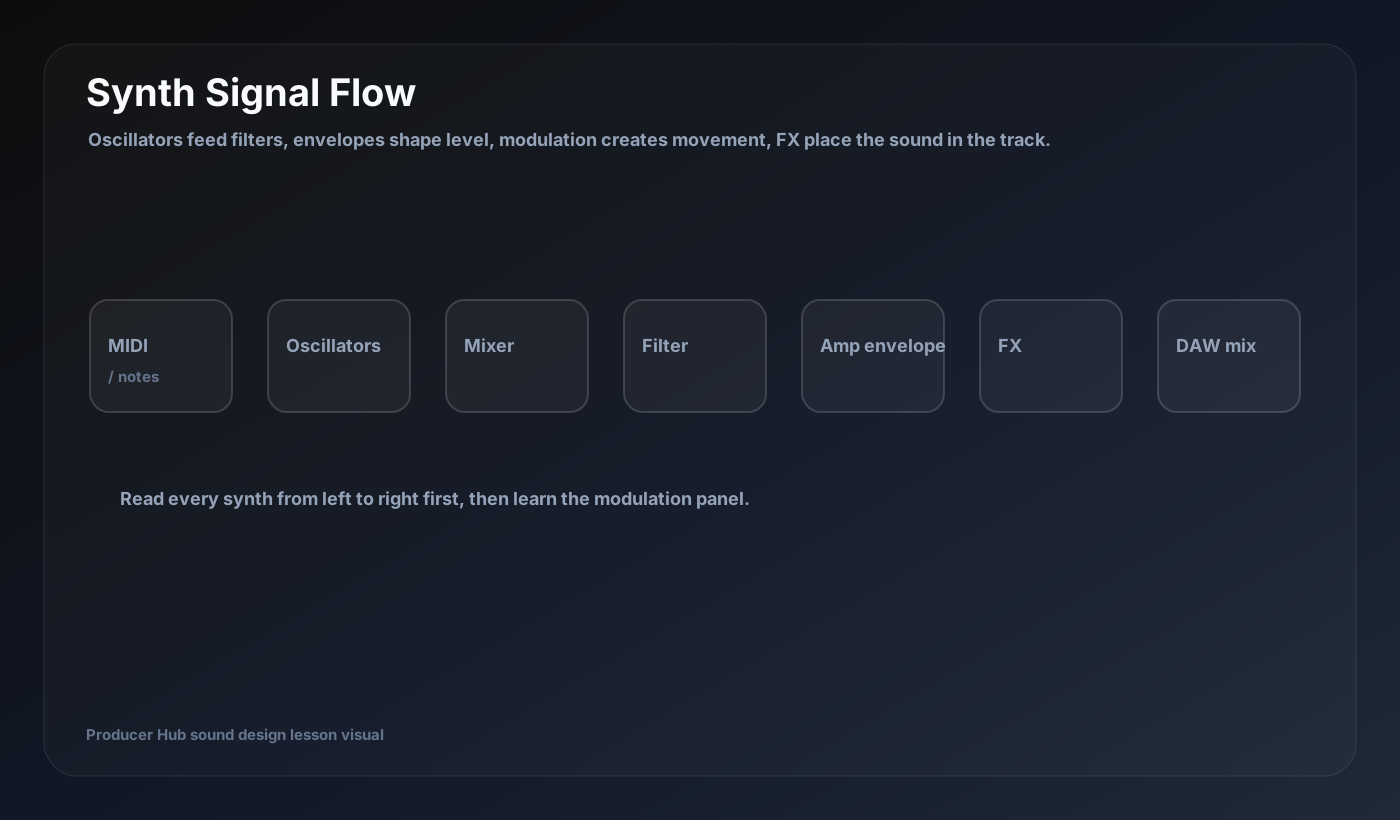
Most beginners open a synth and see too many knobs. The trick is to stop reading it as a wall of controls and start reading it as a signal path. A note comes in, oscillators create tone, filters sculpt brightness, envelopes shape time, modulation adds movement and effects place the result in the track.
The big picture
A synthesizer is a sound generator plus a control system. The sound generator creates raw tone. The control system changes that tone over time. This is why one preset can be a short pluck, a long pad, a bass growl or a riser even when it starts from the same waveform.
Read a synth from left to right before touching advanced panels: MIDI note, oscillator, mixer, filter, amp, effects. Then look at modulation routes that bend those parts over time.
The signal flow in plain English
Oscillators are the raw material. Filters decide how bright or narrow the material is. The amp envelope decides whether the sound hits instantly, fades in slowly, stops tight or rings out. LFOs and modulation add repeatable or performance-based movement. Effects are the final polish, not the actual foundation of the patch.
When a sound is wrong, diagnose the stage. If the tone is wrong, change oscillator or waveform. If it is too bright, use filter. If it is too slow or too stabby, change ADSR. If it is static, add modulation. If it is dry or small, add effects.
A practical starting order
Start with one oscillator and write the MIDI part first. Set the amp envelope so the sound has the right performance shape. Add a filter and decide how bright the patch should be. Add one modulation movement that serves the track. Only then add width, delay, reverb or distortion.
This order keeps you from hiding weak sound design under too many effects. Great synth sounds usually come from a clear source, a clear envelope and one or two musical movements.
Member drill
Open any stock synth in your DAW and make four patches from the same saw wave: one bass, one pluck, one pad and one riser. Change only filter, envelope and modulation before adding effects. This teaches you that synthesis is about controlled shaping, not preset hunting.
Turn this into a patch-building drill
Open your DAW, build the patch from a blank synth, then save the result with a job-based name. The goal is not to copy settings blindly; it is to understand why every stage exists.
- Name the synth stages from left to right.
- Make one patch with no effects that still has a clear role.
- Use one modulation source intentionally.
- Save the patch with a job-based name.