Buying note: Prices mentioned are indicative, not live quotes. Check the retailer for today’s UK price, VAT, availability and delivery. Producer Hub is an editorial affiliate site, not the seller. How affiliate links work.
← Back to GearThe nanoKEY Studio's wireless Bluetooth connection makes it uniquely suited to cable-free iOS production and laptop setups — though mini key quality is a notable compromise.
Producer Hub checks official manufacturer specs, current UK pricing, DAW compatibility and real bedroom-studio use cases before recommending gear. This is an editorial review unless the page clearly states hands-on testing. Ratings are editorial scores, not paid placement. Affiliate links may earn a commission at no extra cost to you.
| Keys | 25 mini velocity-sensitive keys |
| Pads | 8 velocity-sensitive pads |
| Knobs | 8 assignable knobs |
| Touch Pad | XY control pad |
| Connection | Bluetooth + USB |
| Battery | AA batteries for Bluetooth mode |
The Bluetooth connection is reliable on macOS and iOS with minimal latency. On Windows performance is more variable. For laptop producers working in various locations, wireless operation is a meaningful quality-of-life improvement.
The mini keys are the nanoKEY Studio's weakest point — velocity response is inconsistent and key travel is very short. The 8 pads are serviceable for basic beat input. The XY touch pad is interesting as a performance control.
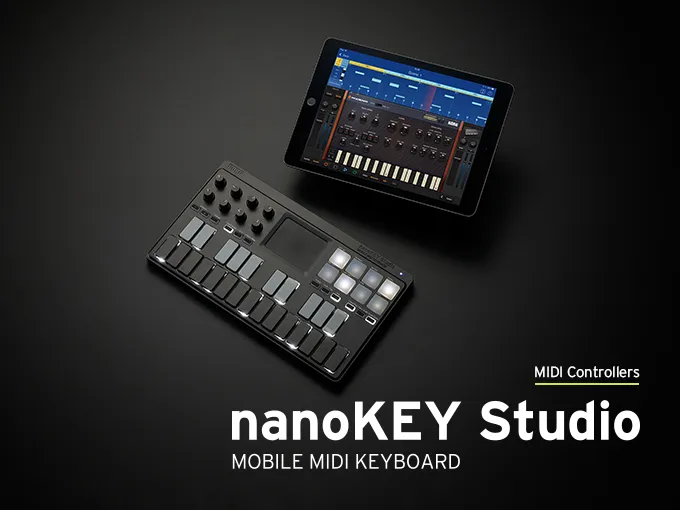
Bluetooth MIDI makes the nanoKEY Studio excellent for iOS music production. GarageBand, AUM, Moog Model D, and Korg Gadget all accept Bluetooth MIDI, making it a wireless keyboard for iPad-based studio setups.
Mobile producers who specifically need wireless operation — particularly iOS users. For desktop DAW use, the Arturia MiniLab 3 offers better keys, pads, and software for less money.
Buy the nanoKEY Studio if you produce on an iPad or iPhone and want a wireless, backpack-sized controller — Bluetooth is genuinely reliable on Apple devices. For desktop DAW use, pass: the key feel and velocity are below what you get from an MPK Mini or MiniLab for similar money, so the wireless convenience is the real reason to pick it.