Key count first
25 keys for bass and leads, 49 for two-handed chords, 61–88 if you actually play piano.
A MIDI controller puts your hands on the music — keys, pads and knobs that turn an idea into a part faster than clicking it in.
For most bedroom producers, a 25–49 key controller with velocity-sensitive keys and a few pads/knobs (like the Novation Launchkey, Arturia KeyLab Essential or Akai MPK) is the practical sweet spot. Match the key count to what you play — 25 for one-handed bass/leads, 49 for two-handed chords, 61+ for piano parts.
25 keys for bass and leads, 49 for two-handed chords, 61–88 if you actually play piano.
Weighted/semi-weighted keys suit players; velocity pads suit drum programming. Many controllers give both.
A controller with a dedicated mapping for your DAW (Ableton, Logic, FL) saves hours of setup.
Assignable knobs/faders turn the controller into a hardware mixer and performance tool.
USB MIDI is class-compliant for most — no driver, just attach and select it in your DAW.
Pick the controller in MIDI settings; use the built-in script for auto-mapped software.
Play a key, hit a pad, twist a knob — confirm each arrives in the DAW before writing.
Save a project template so the mapping loads every session automatically.

Best-in-class Ableton integration, pads and knobs.
Full review →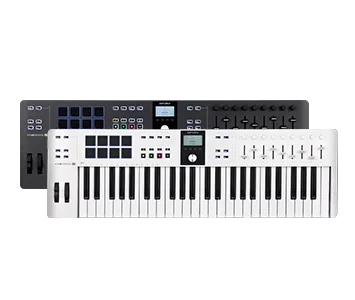
Great keys, bundled software, solid build.
Full review →
The compact pad-and-keys classic for beats.
Full review →Pros: tiny, cheap, portable. Cons: cramped for chords. Best for: bass and leads.
Pros: two-handed chords, more controls. Cons: bigger, pricier. Best for: full production.
Pros: expressive drums. Cons: no keys, limited for melodic work. Best for: beatmakers.
Akai MPK Mini, Korg nanoKEY — entry-level keys and pads.
Launchkey 37, KeyLab Essential 49 — the everyday sweet spot.
Full 61–88 key, semi-weighted, more I/O for live work.
Open a DAW template with drums, bass, and keys mapped.
Record the part live with the keys/pads — human timing beats clicking.
Automate a filter or send with a knob during the take for movement.
Assign the pads to choke/select, and the faders to levels for a live feel.
25 for bass and leads, 49 for two-handed chords, 61–88 for piano-style playing.
No — a MIDI controller sends note data; it has no sounds of its own. It plays the instruments in your DAW.
A 25–49 key controller with pads (Akai MPK Mini or Novation Launchkey) is the best all-round starting point.