A brief and a workable session
Choose a musical job, set creative limits, check your audio path and save a project that can be reopened reliably.
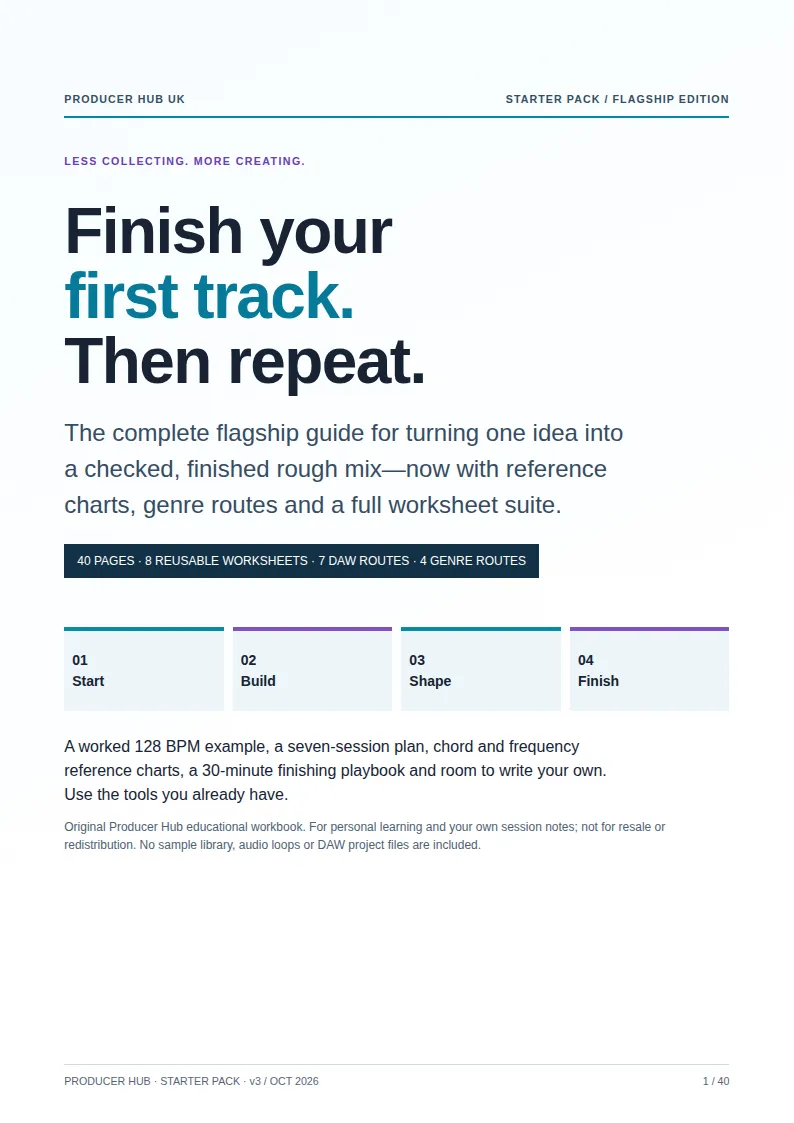
The Producer Hub Starter Pack is our flagship free guide: a complete session companion for taking one idea from a named project to a checked rough mix—using the tools you already have. It now includes quick-reference charts, four genre routes and a full worksheet suite.
Free verified member account required. Create your free account or sign in. No paid plugin purchase needed.
No repeated filler checklists. Each lesson has a specific job, a practical example and a clear stopping point.
Choose a musical job, set creative limits, check your audio path and save a project that can be reopened reliably.
Build drums, kick/bass relationships, simple harmony and one recognisable hook. Learn with a worked 128 BPM example.
Make stripped, full and contrast versions. Adapt a 96-bar arrangement and use transitions that tell a story.
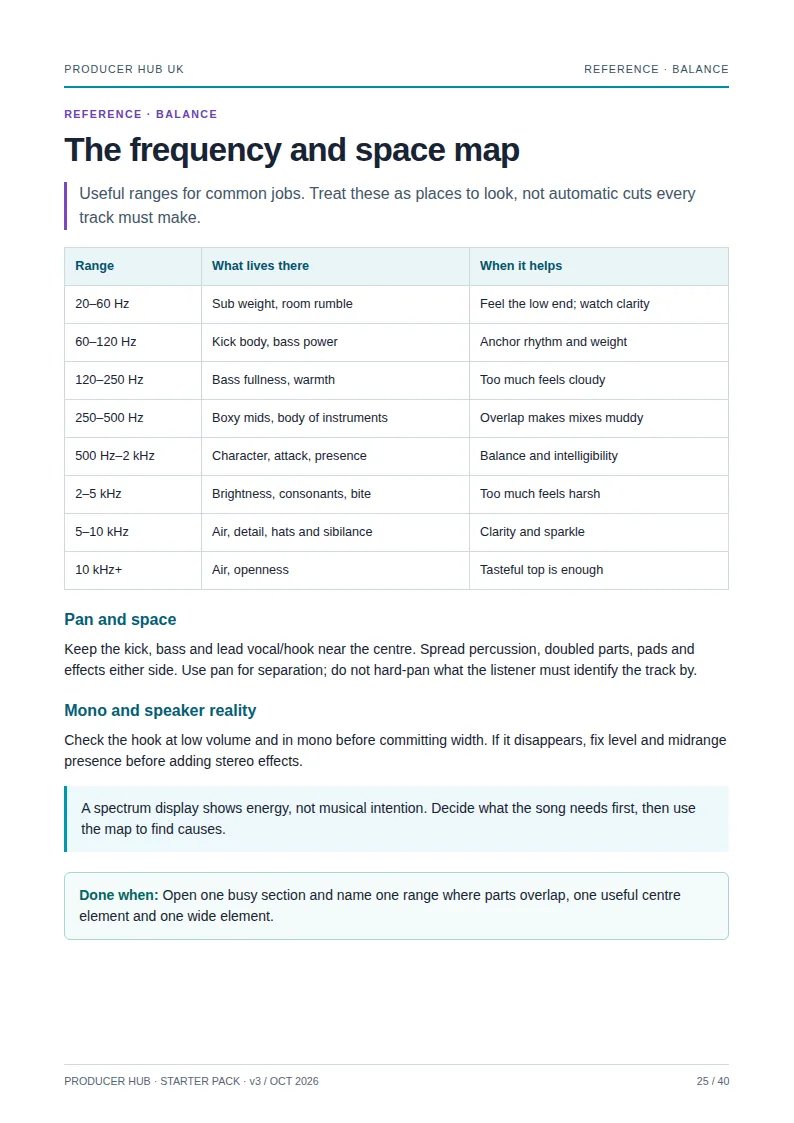
Balance first, then solve named EQ, dynamics and space problems. Compare references at similar loudness.
Choose export settings for the job, listen to the actual bounce and ask one question that leads to a meaningful revision.
A project brief, section map, mix log, export sign-off, session/feedback record, genre notes, tool plan and finish tracker. Print them for the next track.
This is one PDF workbook. It does not include samples, audio loops, MIDI packs or DAW project files. Worksheets are designed for printing and writing; they are not interactive PDF forms.
The workbook carries that process through writing, arrangement, mixing, export and feedback. The seven-session plan is a suggested pace—not a guarantee or a deadline.
Find your DAW learning routeOne 40-page PDF workbook, including eight printable worksheets, a seven-session plan, quick-reference charts, four genre routes, a finishing playbook, an original worked example and a workflow translation page for seven DAWs. No audio samples, loops, MIDI files or DAW project templates are included.
Yes. Create a free Producer Hub account and verify your email, or sign in to your existing verified account. The full PDF uses the same protected member-download flow as the rest of the library.
The musical method is DAW-neutral. The translation page covers Ableton Live, FL Studio, Logic Pro, Bitwig Studio, Cubase, Pro Tools and Reason. Exact features depend on your version and edition. You do not need to change DAWs.
No paid plugin purchase is required. Use your DAW’s stock tools and the playback equipment you already have. An audio interface or microphone is only relevant if you choose to record external sources.
Neither. It is a printable educational workbook. Read it on a screen or print the A4 pages; write on the five worksheets by hand. Browser printing this preview page does not produce the full workbook—use the protected download button.
Download the flagship edition, write your brief, and leave the session with something you can play back—not another list of tools to buy.
Already downloaded an older copy? The filename is unchanged. Download again to receive the flagship edition.